
For board prep, set your Anki learning steps to 1m 1d, set relearning steps to 10m, and tell the deck to show new cards after reviews. Leave FSRS off so the scheduler stays simple and predictable through dedicated. Turn on auto-advance only if you are a slow reviewer who stalls on individual cards. Everything else can stay at the AnKing default, because the settings that actually move your score are these few, not the twenty knobs students fiddle with instead of doing questions.
I run the KISS method with my 1-on-1 students. Keep it simple, stupid. The right Anki configuration takes about fifteen minutes to set once and then never needs to change again. This article is the settings half of the conversation. If you want the broader methodology (which deck, when to unsuspend a card, the daily-zero rule), that lives in the companion guide on how to use Anki for COMLEX. Here we are only talking about the dials inside the Options panel.
What Anki settings should I use for board prep?
Here are the exact values I set with my students. Open Anki on desktop, hover over your deck name, click the gear icon, and choose Options. Then match these:
- Learning steps: enter
1m 1din the steps field. - Graduating interval: leave it at the 1-day default.
- Relearning steps: set this to a single
10m. - New/review order: show new cards after reviews.
- FSRS: turn it off.
- Auto Advance: only on if you are slow, with the question timer at 10 to 15 seconds and the answer timer at 20 to 30.
- New cards per day: set it high, well above your daily unsuspend count.
- Maximum reviews per day: raise this to 9999 so it never caps daily zero.
- Maximum interval: leave the default unless you have a specific reason.
- Easy Days: reserve for rotation days and COMSAE days.
That is the whole list. The rest of this article explains what each one does and why it is set that way, so you can defend the choice instead of copying it blind.
What learning steps should I use in Anki?
Type 1m 1d into the Learning Steps field. A brand-new card shows once, then again 1 minute later in the same session. If you press Good both times, Anki holds the card and shows it again 1 day later. Press Good on that third exposure and the card graduates into the normal review schedule. Three correct exposures spread across roughly a day is enough to push most board facts into memory without wasting review time on cards you already know.
The stock Anki default is 1m 10m, which keeps a fresh card bouncing around inside the same hour. For board prep that is repetition you do not need. Seeing the Philadelphia chromosome four times in one sitting does not build durable memory. Seeing it today, then tomorrow, then a few days out does. The 1d step bakes that overnight gap into the very first day a card is alive, which is exactly where spaced repetition earns its keep.
Why set relearning steps to 10 minutes?
Set Relearning Steps to a single 10m. When you press Again on a mature card, Anki pulls it out of the review pile and brings it back 10 minutes later, then slots it into the schedule once you get it right. Ten minutes is long enough that you are genuinely recalling the fact instead of parroting back what you just saw, and short enough that one lapsed card does not flood the rest of your day.
Some students stack multiple relearning steps like 10m 1h 1d. During dedicated that bloats your queue with relearning cards and makes daily zero harder to hit. Each extra step is one more forced re-exposure landing back in today's pile. One clean 10-minute step keeps a lapse cheap and lets the regular scheduler handle the spacing from there. It is not rocket science. It is just medicine.
Should new cards come before or after reviews?
Set the display order so new cards appear after reviews, never before. This single setting protects your retention more than any other dial in the panel. Reviews are facts you have already started learning and are now at risk of forgetting. New cards are facts you have not learned yet. If it is 2am and you have 30 cards left before bed, you want those to be brand-new cards you can pick up tomorrow, not reviews of material that will quietly leak out of your head overnight.
In current Anki the control lives under Display Order, labeled New/review order, and the value you want is "Show after reviews." Mature material first, fresh material last, every single session. The logic is brutal and simple: protect what you have half-learned before you spend energy on what you have not touched.
Should I use FSRS for board prep?
For most students during dedicated, no. Keep FSRS off and let the classic scheduler run. FSRS is the newer algorithm that tries to model your personal forgetting curve, and it genuinely can be more efficient once it has months of your review history to learn from. The catch is that it rewards tuning and patience, and dedicated gives you neither. You have a fixed test date and a queue to clear, not a research project.
The honest reason I default to off is the KISS method, plus the fact that FSRS has been buggy in spots. The classic scheduler with 1m 1d steps is boring, predictable, and does exactly what you tell it. You always know why a card is due today. Flip FSRS on and leave it at the defaults, which is what most students do, and you are trusting a model that has never seen your data, often scheduling cards further out than your actual retention supports. If you have already run FSRS successfully for a year and know how to optimize the parameters, keep using it. If you are setting up Anki for boards and asking the question, leave it off.
When should I turn on auto-advance?
Turn auto-advance on only if you are a slow reviewer who burns more than about 15 to 20 seconds staring at a single card. Auto-advance flips a card from question to answer and then on to the next card on a timer, which forces a pace. Set the "show question" timer to roughly 10 to 15 seconds and the "show answer" timer to 20 to 30. If you already rip through cards in 5 to 8 seconds each, skip it, because it will only rush you.
The failure mode it fixes is the wander. You flip to a card, your eyes glaze, and ninety seconds later you are thinking about lunch with the answer still hidden. A 600-card day at that pace is mathematically impossible. The same day at 12 seconds a card is about an hour and a half. For students who get distracted easily, auto-advance is the forcing function that keeps review time from silently ballooning into the whole afternoon. If that is you, I strongly recommend it. If it is not, leave it alone.
Which Anki settings should I leave on default?
Most of them. The handful above are the ones genuinely worth changing for boards. A few more deserve a quick sanity check, and then you should stop turning knobs and go do questions.
- New cards per day: set this well above however many cards you expect to unsuspend in a day, something like 9999. You control intake by unsuspending cards during question review, not with this cap. If the limit sits below your unsuspended count, cards you meant to study simply never appear, and you never find out.
- Maximum reviews per day: raise this to 9999 too. Daily zero only works if Anki actually shows you every due review. A low cap here is a common reason students believe they hit zero when the deck was quietly holding cards back.
- Maximum interval: leave it at default unless you have a real reason. A few students cap it at the days remaining until test day so every mature card resurfaces once before the exam. That spikes daily load hard and only fits a schedule with genuine slack, so most people should not touch it.
- Bury related new and review cards: leave these on, which is the AnKing default. Sibling cloze cards from the same note get buried so you do not grind five versions of one fact in a single session.
- Easy Days: leave the slider where it is on normal days. Reach for it on rotation days or COMSAE days when you truly cannot finish a full load, and not as a daily habit.
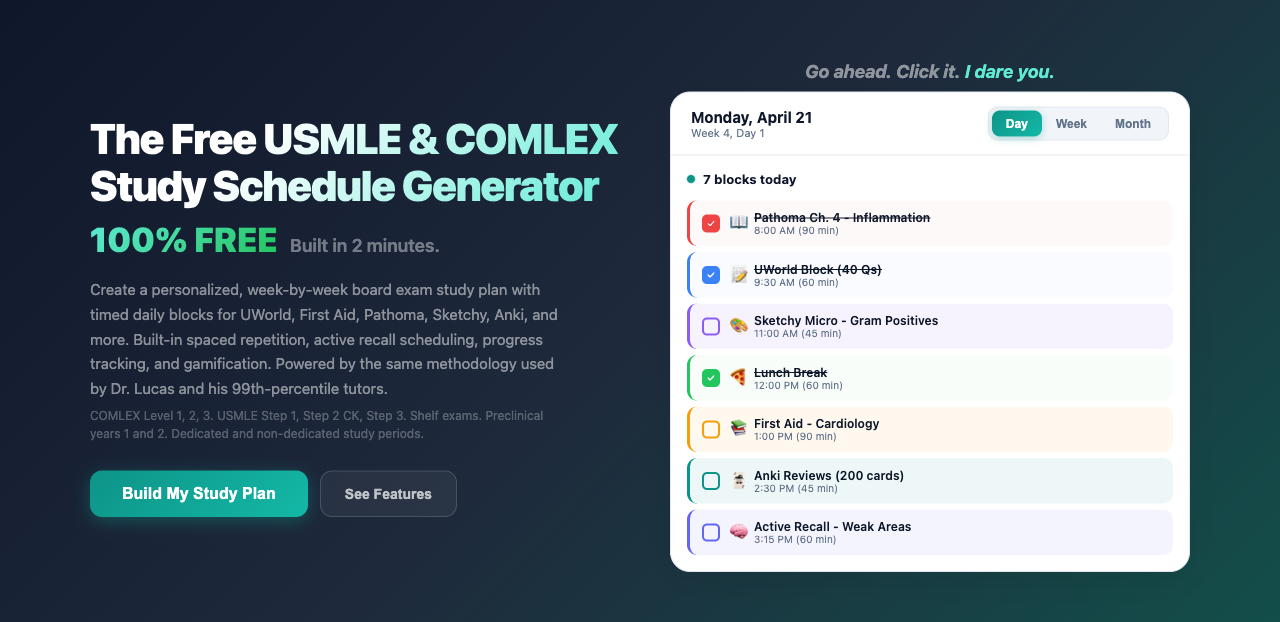
If hand-building all of this and then holding a deck on daily zero sounds like one more job on top of questions, that is fair. The free Premeducated Study Plan Builder bakes Anki into your daily blocks and budgets your review time around your test date and baseline, so the deck stays a tool instead of a second full-time job.
One last mechanical note. After you change any of these, click Save in the top right before you close the Options panel. Anki will not warn you if you navigate away, and unsaved changes vanish without a trace. Plenty of students have lost an afternoon wondering why the card load looks identical to yesterday, because the settings never actually stuck.
What Anki settings mistakes hurt board scores the most?
Three configuration mistakes do real damage, and every one of them is silent. You never get an error message. Instead you quietly lose retention or lose time, then blame your own discipline instead of a checkbox.
Leaving the new-card limit too low. The default New/day cap is often 20. Unsuspend 40 cards from a heavy question day and half of them never enter the queue, so you study a fraction of what you intended. Set the cap high and let your unsuspending discipline govern the volume.
Running FSRS on parameters you never optimized. FSRS is not plug-and-play. Toggle it on, ignore the optimizer, and you are handing your schedule to a model that has never seen how you actually retain. For a lot of students that means cards pushed too far out and facts gone by exam day. Unless you will tune it regularly, the classic scheduler is the safer default.
Stacking long relearning steps. Every extra relearning step is another forced re-exposure that drops back into your daily pile. During dedicated that turns a handful of lapses into a queue you cannot finish. Keep relearning to one short 10m step and let the scheduler handle the rest.
Treating settings as the work. This is the meta-mistake, and it is the one I see most. The right configuration takes fifteen minutes and then never changes. If you are still tinkering with steps and intervals in week three of dedicated, the settings are not the problem. The questions you are avoiding are the problem.
Do these Anki settings work for COMLEX and USMLE the same way?
Yes. Anki does not know or care which board exam you are sitting for, and neither does the AnKing deck, which covers the shared Step 1 and Level 1 blueprint. The 1m 1d learning steps, the 10m relearning step, news after reviews, and FSRS off are scheduler settings, so they behave identically whether you are prepping for COMLEX or USMLE. What changes between the two exams is content emphasis and question style, not how your spaced-repetition deck should be tuned. DO students studying for both exams use one deck and one set of settings.
Frequently asked questions about Anki settings for board prep
Are the default AnKing settings good enough for boards?
The AnKing deck itself is excellent, but the out-of-the-box Anki scheduler defaults are tuned for general learning, not a fixed board date. The two that matter most to change are learning steps (move from the 1m 10m default to 1m 1d) and the new-card and review caps (raise both so they never throttle daily zero). Leave bury-siblings on, which AnKing already sets. After those changes the deck is dialed in for dedicated, and you should stop adjusting it.
How many new cards per day should I set in Anki for boards?
Set the New/day limit high, around 9999, so it does not act as a bottleneck. This sounds backwards, but the number of new cards you actually study is governed by how many you unsuspend during question review, not by the cap. If the cap is lower than your unsuspended count, cards you intended to learn silently stay hidden. In practice most students unsuspend one to three cards per missed or guessed question, which keeps the real daily intake reasonable on its own.
What is the difference between learning steps and relearning steps?
Learning steps apply to brand-new cards you have never graduated, controlling how many correct exposures it takes before a card enters the normal review schedule. The board-prep value is 1m 1d. Relearning steps apply to mature cards that you have already learned but then pressed Again on, controlling how the card recovers before re-entering the schedule. The board-prep value is a single 10m. One governs first-time learning, the other governs recovery after a lapse.
Will FSRS hurt my board prep if I leave it on?
It can, if you turn it on and never optimize it. FSRS needs your review history and a run through the optimizer to schedule well, and it works best with a desired-retention target you have actually set. Students who flip it on and walk away frequently end up with worse retention than the plain scheduler would have produced, because cards get spaced out past the point where the facts still stick. If you are not going to maintain it, leave it off and use 1m 1d with the classic scheduler.
Should I change my Anki settings the week before my exam?
No. Settings should be locked in long before the final week. Changing learning steps or toggling FSRS late in dedicated reshuffles your schedule at the exact moment you want stability, and it can dump a wave of relearning or new cards onto days you cannot afford to lose. The one slider worth using late is Easy Days, to trim review load on a planned mock-exam day. Otherwise, leave the configuration alone and spend the final week on mixed question blocks and rapid review.
Do I still need good Anki settings if my COMSAE scores are already strong?
The settings matter less once your scores are consistently strong, but they still protect your time. A clean configuration is the difference between a 90-minute review session and a three-hour one, and that reclaimed time goes toward questions, which is what actually moves a score. If your COMSAEs are climbing and you are scoring well, do not over-engineer the deck. Set it once, keep daily zero, and let the question work carry you. If your scores are flat despite real effort, the problem is usually the system, not the steps field.
Build a board-prep plan with Anki already dialed in
The free Premeducated Study Plan Builder maps your dedicated period day by day around your test date, baseline, and weak areas, with Anki review time built into the daily blocks. You get the same daily structure I use with my 1-on-1 students, so the deck stays a tool instead of a second job you have to manage on top of questions. Free to use, no upgrade required.
Related guides and video resources
- How to use Anki effectively for COMLEX: the full methodology behind these settings, including which deck, when to unsuspend, and the daily-zero rule
- How long should I study for COMLEX Level 1?: where the 2 hours of daily Anki fits inside the standard daily block structure
- Why do smart med students fail board exams?: why a broken system, not effort, is usually the culprit when scores stall
- How to study for boards while still in classes: managing the Anki review queue when you are not yet in dedicated
- What is a good COMSAE score for COMLEX Level 1?: the score signal that tells you whether your study system is working
- Doctor Lucas DO on YouTube: Anki walkthroughs, settings demos, and question-review breakdowns